Model Portfolios
Adviceos allows user to create model portfolios under adviser/practice/licensee level.
Navigate to portfolio book / configuration / model portfolios screen.
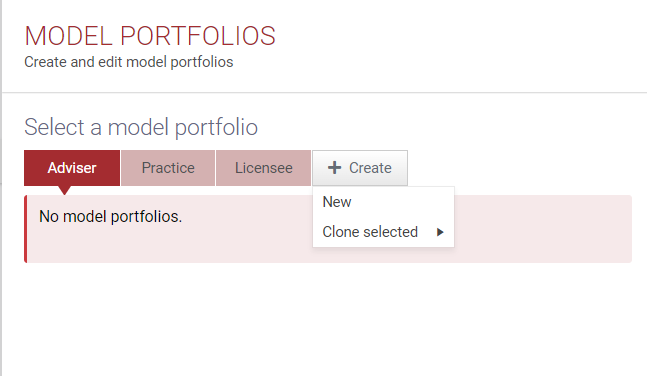
You have the option either create a brand new one or clone the selected model portfolio from an existing model portfolio in your practice.
Create New
Once you click on create new, you will be prompted to below screen.
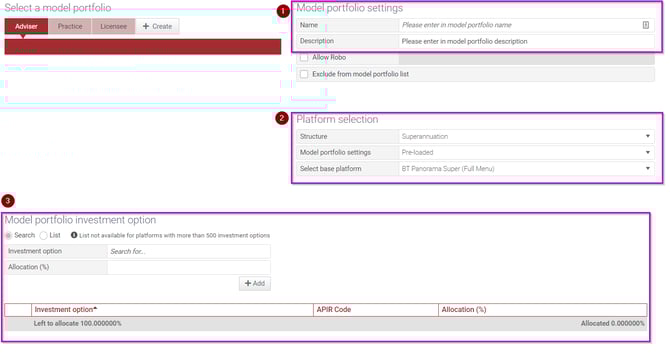
1) You can enter the name and the description of the new model portfolio
2) You can choose the platform selection :
- Structure = Superannuation/Pension/Investment
- Model = Pre-loaded/Custom
- Select base platform
- This selection will be connected to the model portfolio settings selection
-
- If you choose pre-loaded, it will provide you with all the platforms under adviceos database
- If you choose custom, it will provide you with the all the custom platforms (that you created previously under fundsbase.
-
Select base platform dictates the investment option that you can select under Model portfolio investment option.
For example :
If you want to add ASX ETFs, you need to choose ASX ETFs under select base platform then you can add the ETF into your model portfolio under model portfolio investment option
3) You can choose your investment option based on your platform selection in no 2
Model Portfolio Mapping
You can add your model portfolio mapping into adviceos for different structure, platform, and risk profile.
Click on "+Add mapping" and choose the selection based on your requirement.
This model portfolio mapping will be connected to product comparison "run hypothetical" function
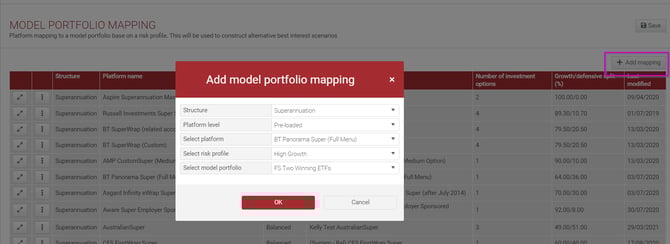
If you want to make your model portfolio to be available for "run hypothetical" investment option, you have to tick "use for model portfolio mapping" option.
Preset Features
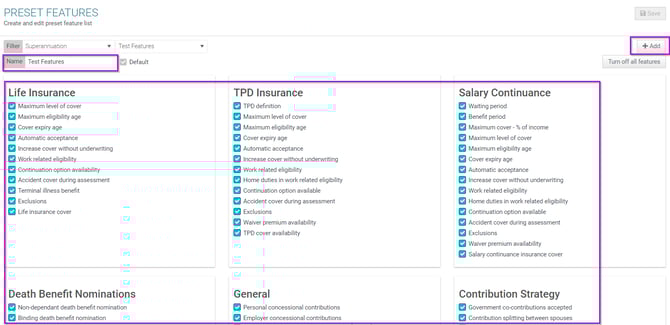
You can set your own features for different structures and use it on the product comparison - features section.