In-App Support
Midwinter has introduced enhancements to User Support functionality within AdviceOS by utilizing an in-app support overlay that works with you while you navigate the software. It is a seamlessly integrated technology that helps you with finding the answers to unlock the full potential of AdviceOS.
What does the In-App Support do?
There are several features available to you when using the in-app support.
- AI Assistant: An integration of an AI assistant provides prompt and accurate support via a chat interface. Allow the AI to search through our knowledgebase articles and provide you with an answer to your question in a succinct and easy to follow way.
- Checklists: User-friendly guides designed to navigate new or existing users through AdviceOS, including initial set ups, key areas of AOS, and essential tools to hit the ground running.
- Guided Tours: Demonstrations that walk users through AdviceOS’s multifaceted functionalities. These tours as designed to deepen your understanding of each area of AOS and optimize how you use the software.
- Bulletin Board: Stay informed and up to date with the latest Midwinter announcements and changes to the software. This board serves as a centralized hub for crucial information, encompassing new features, product enhancements, legislative changes or system outages – empowering advisers with swift access to vital updates.
- Resource Library: Access to a comprehensive resource library offering a wealth of how-to articles and video tutorials.
How to ask questions using our Artificial Intelligence assistant
In the bottom right-hand corner of your AdviceOS you’ll have a button that looks like the below icon.

When pressed, this will expand into the AdviceOS Resource Centre. Within the AdviceOS Resource Centre is a text box field that allows you to ask any question related to AOS.
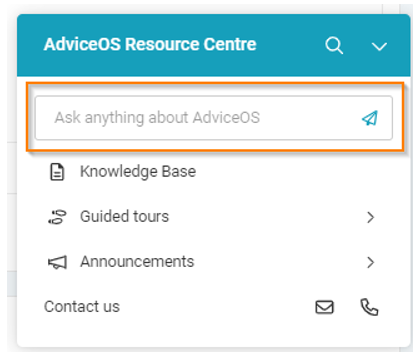
This text box scours our extensive list of articles within the AdviceOS knowledgebase and formulates a succinct and easy to follow response. It also provides a link to the specific article where the AI found the information, so that if you wish to investigate further you can be directed to the knowledgebase easily.
The AI in regularly updated, searching across all new articles that have been created in the knowledgebase to ensure it is providing you with the most up to date response.
Here are a few example questions that you could ask the AI:
- How do I change my client’s risk profile?
- How do I set a client to deceased?
- What is the difference between Salary and Super Salary?
- How do I add direct shares to my client’s portfolio?
- How can I model defined benefits in C&C?

What else does the AdviceOS Resource Centre provide?
As well as the AI Assistant, the Resource Centre provides you with a few other helpful services.
Guided Tours
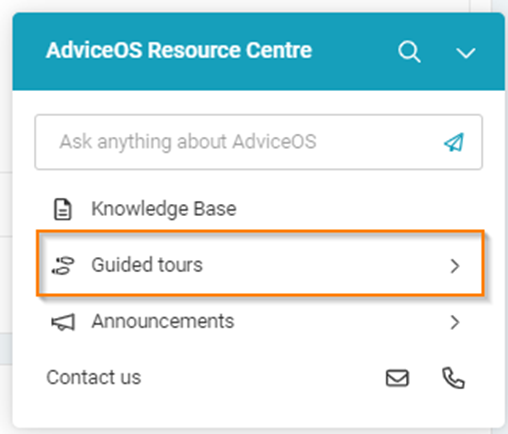
Here you can trigger several guided tours, that will direct you through certain pages focusing on that specific topic.
For instance, you can begin a guided tour titled “Getting Started with AdviceOS” that will create a checklist of flows that provide you with information on the essential pages to help someone new to the system. This is a highly recommended checklist for new starters.
There are also flows centered on specific modules, such as Cashflow & Capital, Fact Find, Production Comparison & Total Portfolio Analysis.
Certain flows may also automatically trigger when a user lands on specific pages within AdviceOS that may be particularly challenging or complex, providing additional insight as you navigate the page.
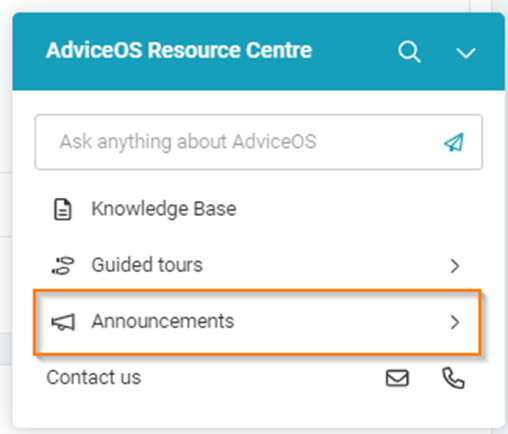
Announcements
Stay informed and up to date with the latest Midwinter announcements and changes to the software. This board serves as a centralized hub for crucial information, encompassing new features, product enhancements, legislative changes or system outages – empowering advisers with swift access to vital updates.